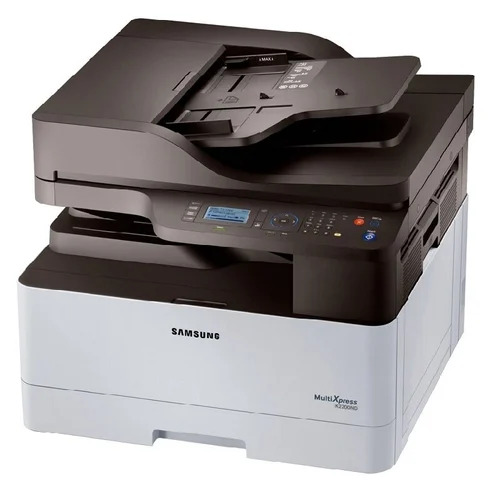
Samsung Multifunction Multixpress K2200nd Printer About
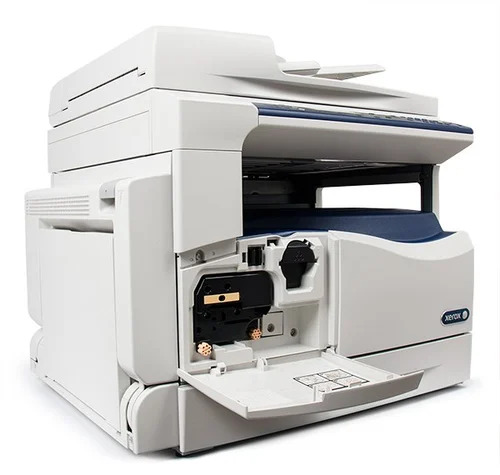
Experience the Classic excellence of the Samsung Multifunction Multixpress K2200nd Printer, perfect for busy office environments. This splendid machine offers print, scan, and copy functions at an unbeatable price. Enjoy incomparable speed with up to 20 ppm and dual network connectivity via Ethernet and USB 2.0. With automatic duplex printing, a 2-line LCD display, and robust monthly duty cycle up to 30,000 pages, productivity is maximized. Add to Cart today and Buy Online for new, reliable performance, tailored for your business requirements.
Versatile Applications & User Guidance
The Samsung Multifunction Multixpress K2200nd Printer supports a wide range of application media including standard and multipurpose trays, accommodating A3 documents and beyond. This device is ideal for various business and office-centric tasks, from high-volume printing to precise scanning and copying. To operate, simply connect via Ethernet or USB, power on, and manage each feature through the user-friendly 2-line LCD. It's tailor-made for consistent office usage, delivering professional results seamlessly.
Packaging, Shipping & Market Availability
Each Samsung K2200nd Printer is carefully packed to ensure safe transit and is Handed Over to express shipping providers for secure delivery. We prioritize Quick Dispatch so your equipment arrives on schedule. Sample units are available upon request under our transparent Sample Policy. Our main domestic market is India, with strong service and support provided by verified suppliers, traders, and service providers, ensuring a smooth purchasing experience every time.
FAQ's of Samsung Multifunction Multixpress K2200nd Printer:
Q: How do I set up the Samsung Multixpress K2200nd Printer in my office?
A: Begin by connecting the printer to your PC or network using the Ethernet or USB 2.0 interface. Install the appropriate drivers for Windows, Mac, or Linux, and use the 2-line LCD panel to follow set-up prompts.
Q: What is the recommended usage and monthly print volume for this printer?
A: The Samsung Multixpress K2200nd is designed for business and office use, with a recommended monthly print volume of 500-2,000 pages and a maximum duty cycle of up to 30,000 pages.
Q: Where can I buy the Samsung K2200nd Printer at an unbeatable price?
A: You can conveniently Buy Online from leading Indian suppliers, traders, and service providers. Simply Add to Cart on supported platforms and benefit from reliable delivery and after-sales support.
Q: What are the shipping and packaging details for this printer?
A: Your printer will be Handed Over to express shipping providers, packed securely, and shipped with Quick Dispatch for prompt and safe delivery across India.
Q: How does the automatic duplex printing feature benefit my office workflow?
A: The printer's automatic duplex printing function streamlines your workflow by allowing double-sided printing, saving both time and paper for increased office efficiency.
 Send Inquiry



 Send Inquiry

 Send Inquiry